SainSmart Relay Board
Click any image to enlarge it.
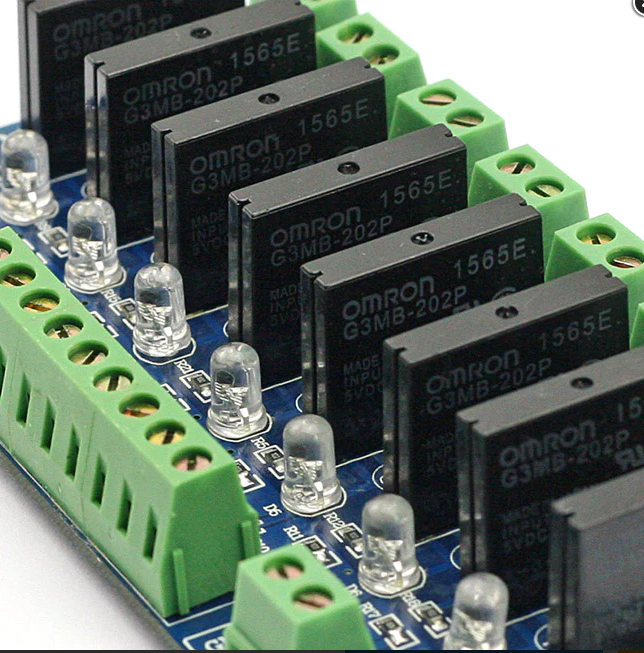
This is an upgraded version using solid state technology. It allows you to connect up to 8 toys on your virtual pinball cabinet. This is a 5V 2A board.
For virtual pinball use, you should use the 8-port version — the 16-port version is NOT supported.
SainSmart Website ⬇ ManualSolid State vs Mechanical
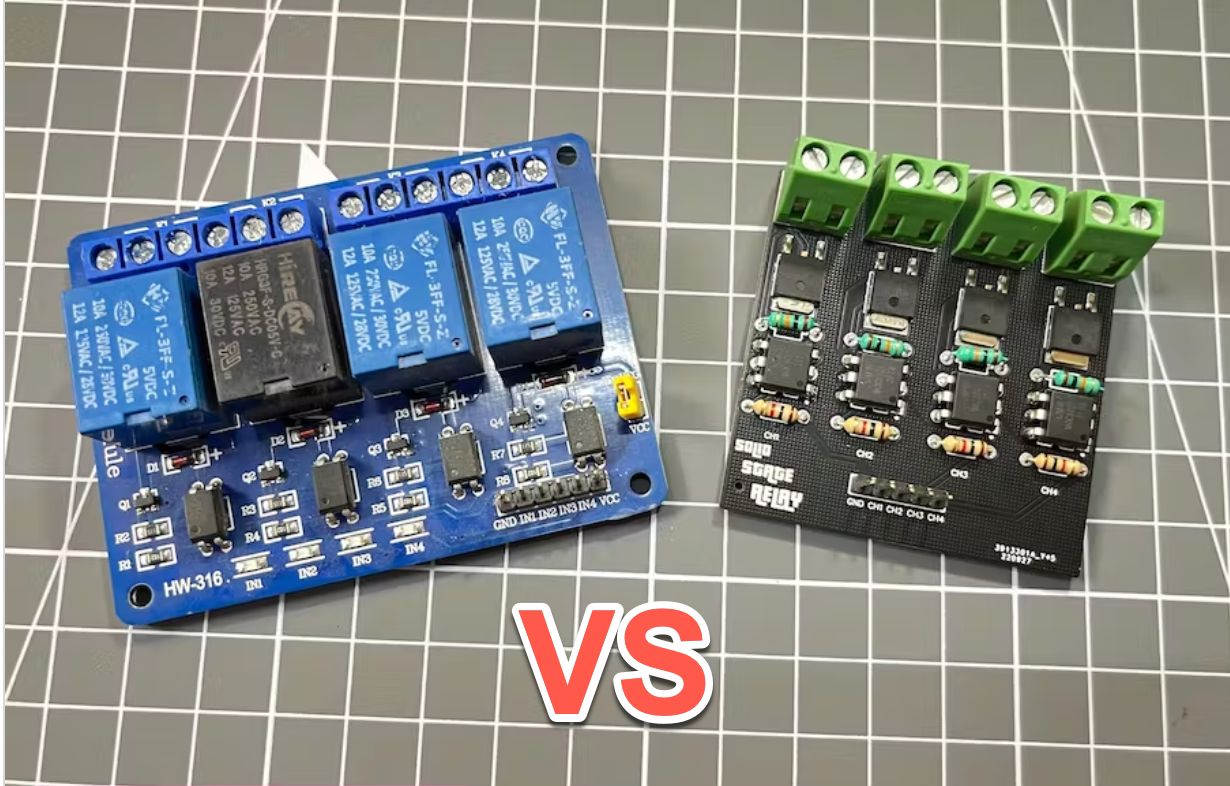
There are a few different versions of the SainSmart board: USB, Non-USB, and Solid State. Here's how they compare:
| Solid State (SSR) | Mechanical Relay | |
|---|---|---|
| Max current | 2A per port | 10A per port |
| PWM support | ✓ Yes | ✗ No |
| Clicking noise | ✓ Silent | ✗ Audible click |
| Switching speed | ✓ Very fast | ✗ Slower |
| Shock/vibration resistant | ✓ Epoxy sealed | ✗ Mechanical parts |
| Longevity | ✓ No wear parts | ✗ Contacts wear |
Solid State Relay Board Connections
Here is an example of a shaker motor connected to the SainSmart relay board and to the KL25Z (KL25Z Tutorial).
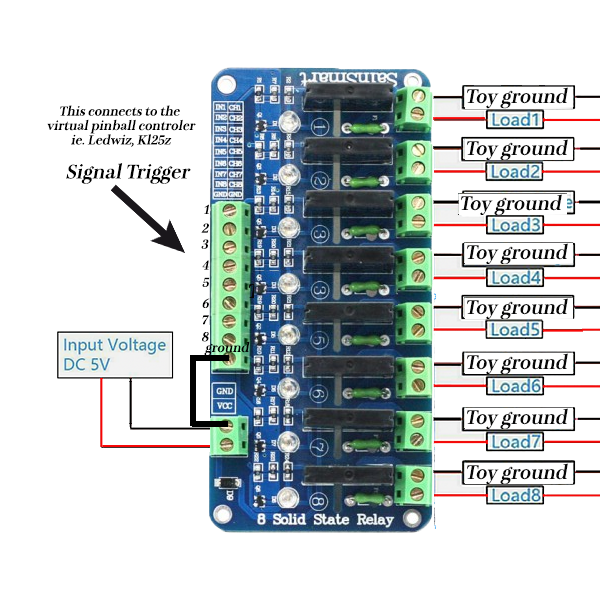
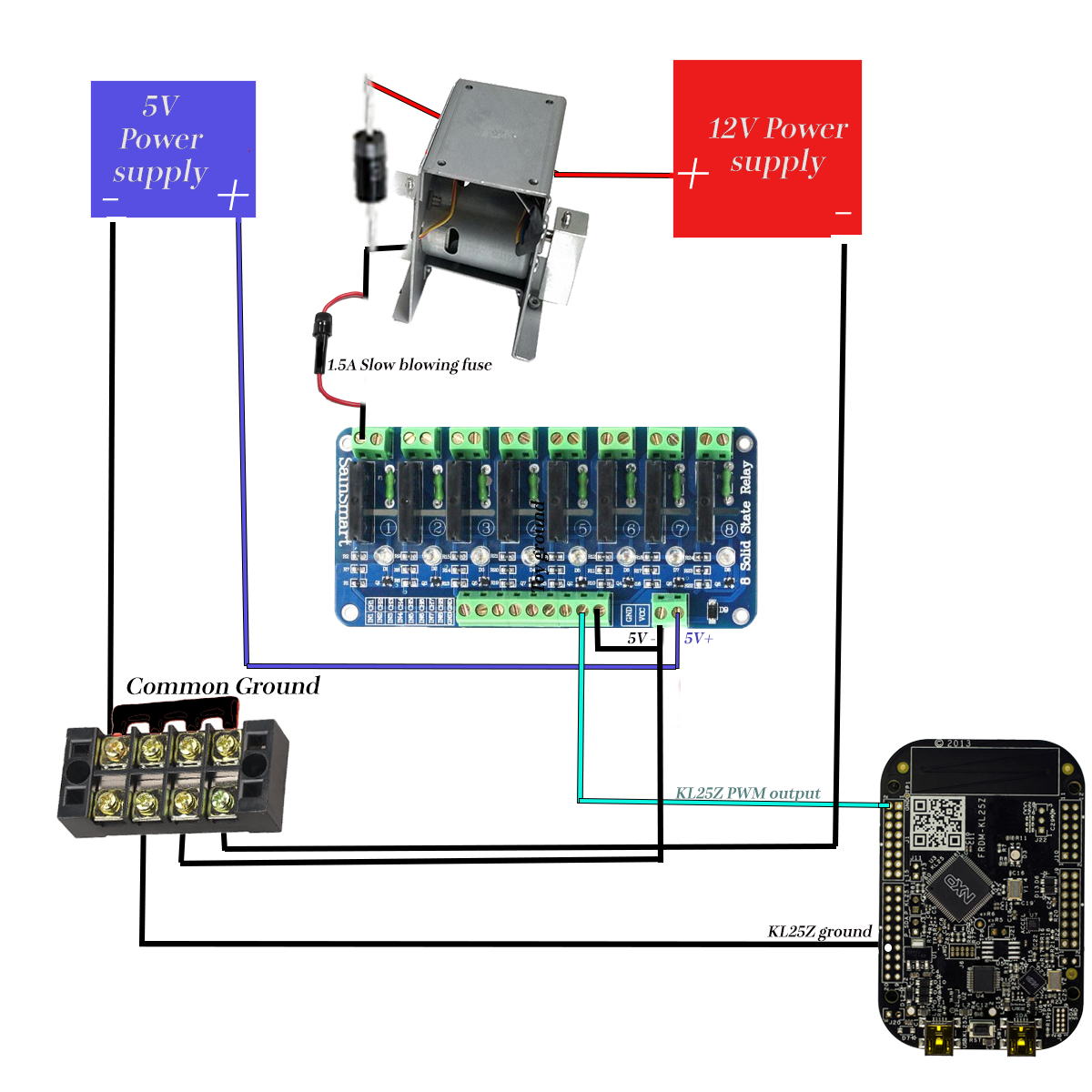
The KL25Z has power limitations when triggering toys like a shaker motor. The signal must be amplified — in this setup, the SainSmart board acts as a booster (essentially a top-notch MOSFET board).
USB SainSmart Board
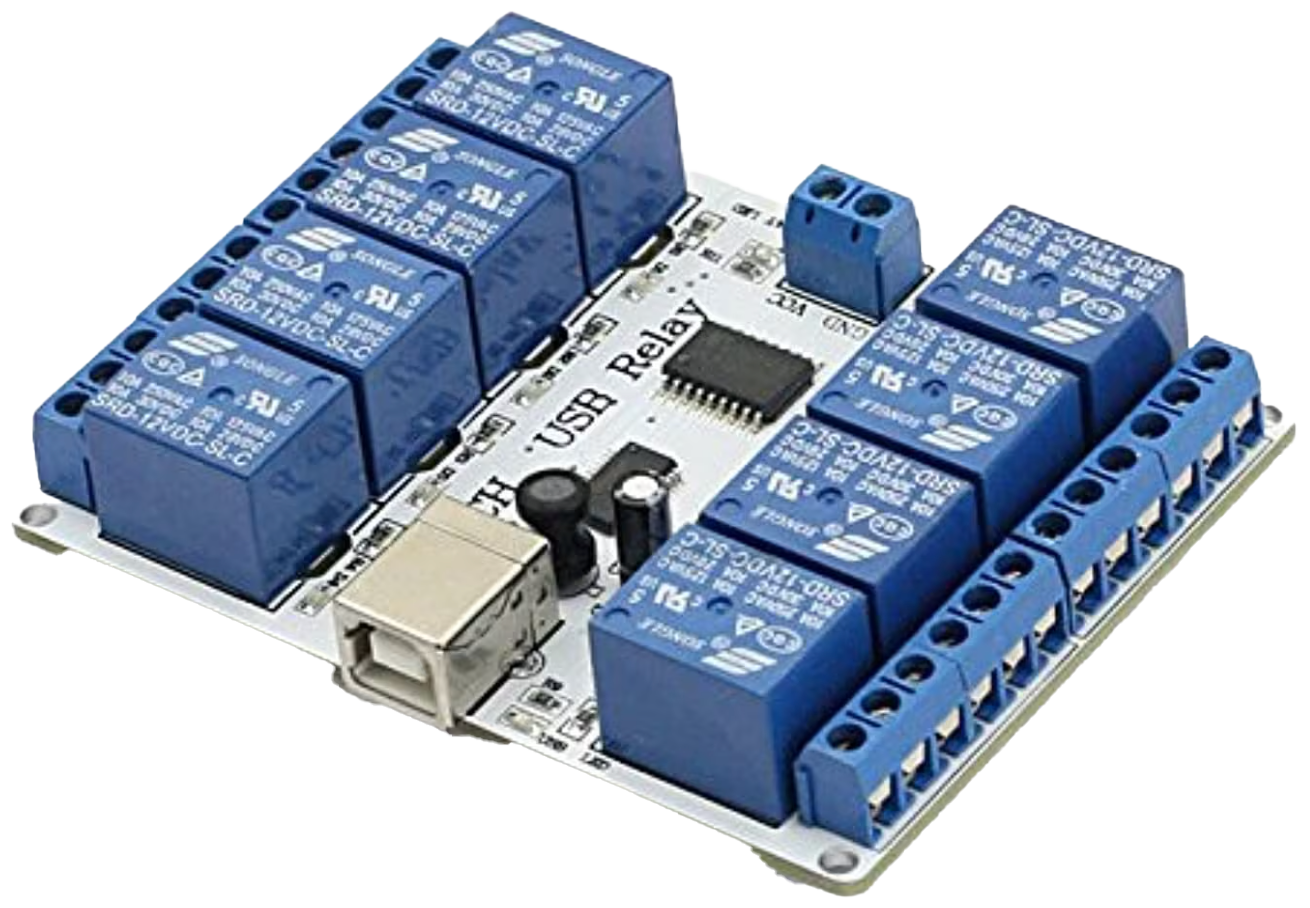
This is the board most people start with, and the one I used for quite some time. It's a solid solution for adding force feedback to your cabinet and much easier to set up than the solid state version above.
This amplifies the signal up to 10A — meaning you'll never have issues triggering even a real pinball flipper assembly.
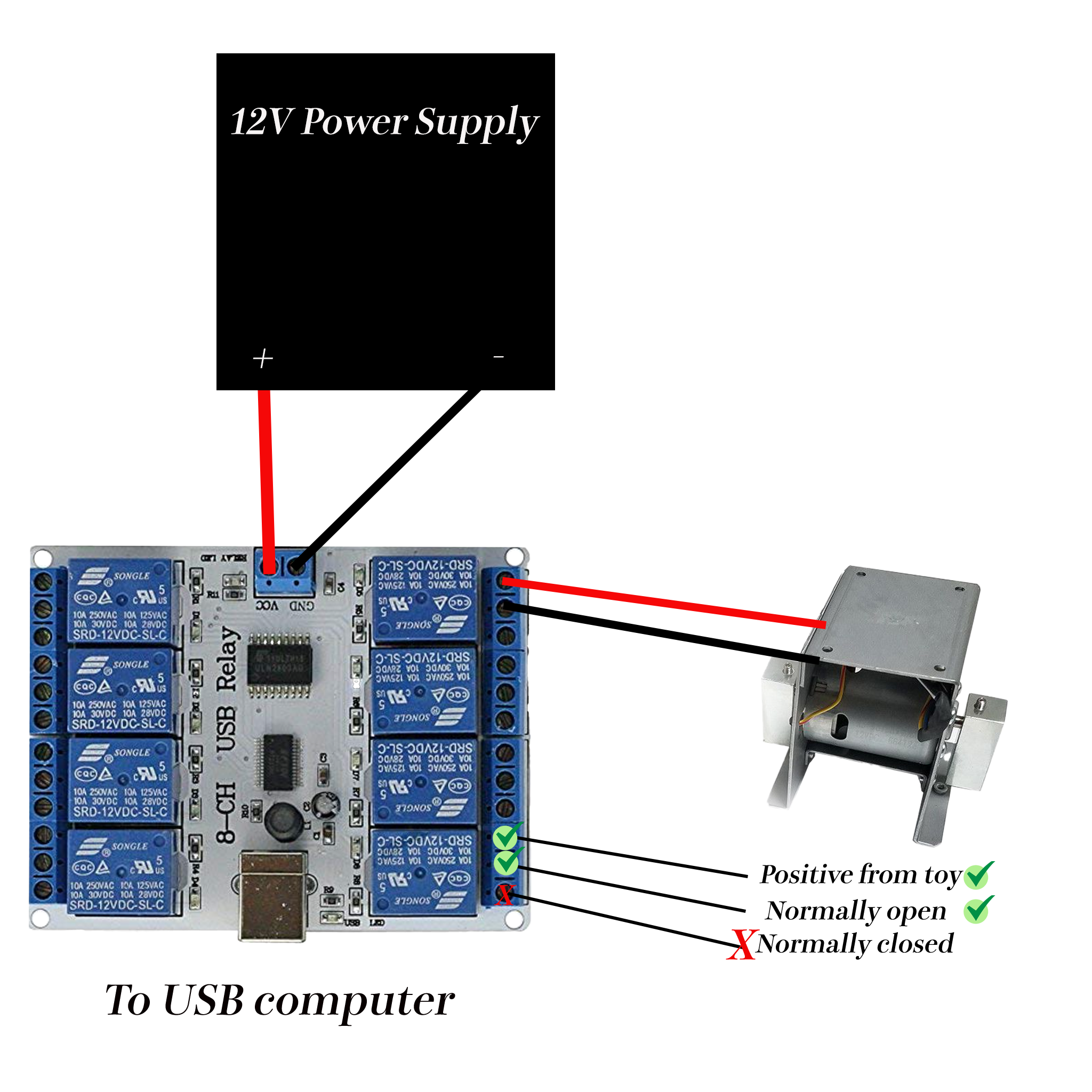
Here's a shaker motor connected to the SainSmart 8-port USB board:
Related: KL25Z Tutorial · DOF Setup · Toys / Force Feedback · Addressable LEDs